What Are ELV Systems? 13 Common Low-Voltage Systems Used in Modern Buildings
Explore 13 common ELV systems used in modern buildings, including CCTV, access control, parking management, fire alarm and building automation.
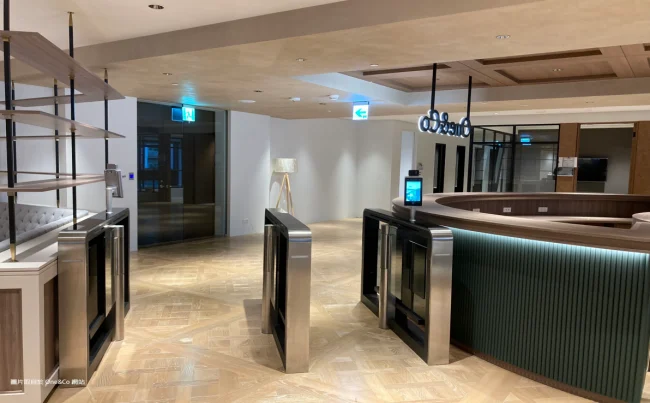
FUJICA flap barrier access control system at an office entrance
What Are ELV Systems? 13 Common Low-Voltage Systems Used in Modern Buildings
Short answer: ELV (Extra-Low Voltage) systems are the low-power networks that run a building behind the scenes — CCTV, access control, parking management, public address, structured cabling, fire alarm and building automation. Generally defined as circuits up to 50 V AC or 120 V DC, they connect through cabling and IP networks so security, communication and facility operations can work together.
Reading time: about 9 minutes. Use the contents below to jump to any system.
Contents
- ELV systems at a glance
- 1. CCTV Surveillance System
- 2. Computer Network (LAN) System
- 3. Telephone Communication System
- 4. Public Address and Background Music System
- 5. Cable TV Distribution System
- 6. Intrusion Alarm System
- 7. Access Control System
- 8. Parking Management System
- 9. Building Automation System (BAS)
- 10. Video Conferencing System
- 11. Information Display System
- 12. Electronic Patrol System
- 13. Fire Alarm and Life Safety System
- How Different ELV Systems Work Together
- Frequently Asked Questions
ELV Systems at a Glance
Before going into detail, this table maps each of the 13 systems to its core function and where you are most likely to find it.
| ELV system | Core function | Typical applications |
|---|---|---|
| CCTV surveillance | Visual monitoring and incident review | Offices, malls, warehouses, transit |
| Computer network (LAN) | Data connectivity for devices and systems | All connected buildings |
| Telephone communication | Internal and external voice calls | Offices, hotels, hospitals |
| Public address / background music | Zoned announcements and audio | Malls, schools, transport hubs |
| Cable TV distribution | Signal distribution to multiple outlets | Hotels, apartments, communities |
| Intrusion alarm | Unauthorised entry detection | Offices, warehouses, restricted areas |
| Access control | Identity-based entry permissions | Offices, plants, campuses |
| Parking management | Vehicle entry, payment and guidance | Malls, offices, airports |
| Building automation (BAS) | Centralised facility monitoring and control | Large commercial buildings |
| Video conferencing | Real-time remote audio and video | Meeting rooms, training centres |
| Information display | Digital signage and public information | Malls, hubs, lobbies |
| Electronic patrol | Guard route and checkpoint records | Industrial parks, large sites |
| Fire alarm and life safety | Fire detection and occupant alerting | Virtually all occupied buildings |
What all 13 have in common is that they carry information or control signals rather than power loads. That is why they are planned, installed and commissioned as a group — even when each one has its own operator and its own acceptance criteria.
1. CCTV Surveillance System
A CCTV surveillance system is one of the most widely used security systems in commercial and residential buildings. It uses cameras to capture video footage and transmits the data to recording and monitoring equipment such as Network Video Recorders (NVRs) or centralised servers. Operators can watch live footage, review recorded video and investigate incidents afterwards.
Typical applications include office buildings and commercial facilities, shopping malls and retail stores, industrial parks and warehouses, and public areas and transportation facilities. CCTV provides visual monitoring and helps security teams maintain awareness of what is happening across a property.
2. Computer Network (LAN) System
The Local Area Network (LAN) provides the infrastructure that connects computers, servers and other network-enabled devices inside a building. It typically consists of switches, routers, structured cabling, wireless access points and related equipment.
Beyond internet access, the LAN is the communication foundation for many other ELV systems — IP cameras, access control terminals, video conferencing equipment and building management platforms all depend on it. Without reliable network infrastructure, communication between systems becomes difficult to manage and even harder to troubleshoot.
3. Telephone Communication System
Telephone systems provide voice communication inside and outside an organisation. Traditional installations use a Private Branch Exchange (PBX) to connect internal extensions with external lines, while newer projects often use IP-based telephone systems (IP-PBX) that carry voice over the data network.
These systems remain common in offices, hotels, hospitals and commercial buildings where reliable internal and external communication matters. In many projects the telephone system now shares cabling and switching infrastructure with the LAN rather than running as a standalone network.
4. Public Address and Background Music System
Public Address (PA) systems are common in shopping malls, schools, hotels, transport hubs and office buildings. They handle background music playback, scheduled announcements, zone-based broadcasting and emergency voice announcements.
A PA system can divide a building into separate broadcast zones so that a message or music reaches only selected areas. When connected to a properly designed emergency communication interface, the same infrastructure can also carry safety announcements and evacuation instructions — a point that matters when planning the interfaces between ELV systems.
5. Cable TV Distribution System
A Cable TV distribution system receives television signals from satellite or cable sources and distributes them to multiple user terminals. It may include signal receivers, headend equipment, amplifiers, optical transmitters, distribution networks and terminal outlets.
It is widely used in hotels, residential communities, apartments and other facilities where television service must reach many rooms or units. Depending on project requirements, the distribution network may use coaxial cable, optical fibre or a combination of both.
6. Intrusion Alarm System
An intrusion alarm system detects unauthorised entry or suspicious activity in a protected area. It typically uses door and window contacts, motion detectors, glass-break detectors and infrared sensors.
When a sensor detects an event that meets the system’s alarm conditions, it sends a signal to the control panel, which can activate audible or visual alarms and notify security personnel. Intrusion alarms are common in offices, warehouses, commercial buildings and restricted areas, and are often linked to access control and CCTV so that an event can be verified immediately.
7. Access Control System
An Access Control System manages who can enter a building, a room or a restricted area. Instead of relying only on physical keys, it uses electronic credentials to verify identity and determine permissions. Common identification methods include RFID cards, PIN codes, fingerprint recognition, facial recognition and mobile credentials.
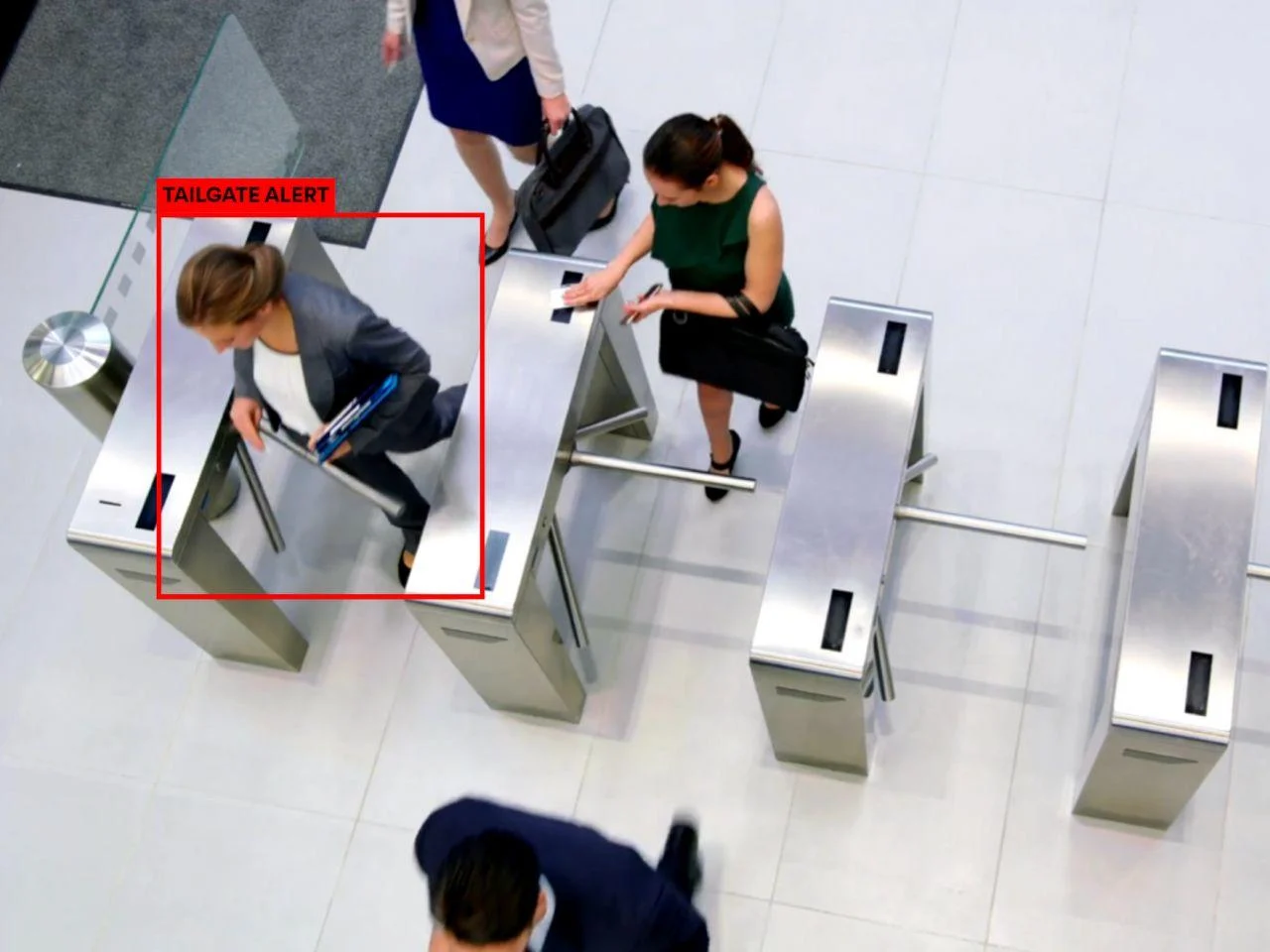
Access control systems also keep entry records and can integrate with other security systems. They are widely used in office buildings, industrial facilities, residential communities and campuses. Depending on the traffic pattern and security level, the hardware may be a flap gate, a pedestrian gate or a full-height turnstile. For a deeper look at selection criteria, see our guide on how to choose the right speed gate for an office building.
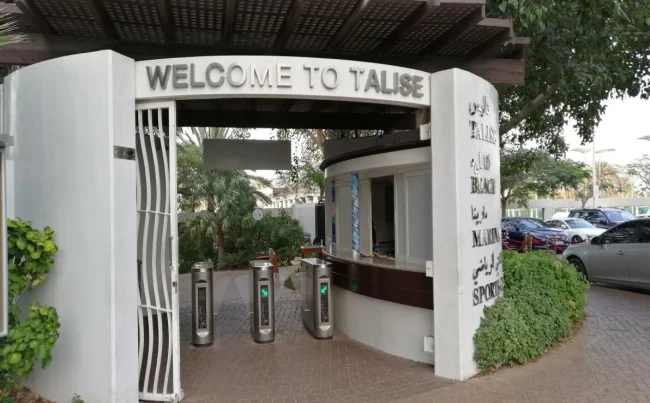
One practical lesson from the field: credentials alone do not stop determined tailgating. Pairing access control with detection and video review is usually what closes the gap — as discussed in why access control alone cannot stop tailgating.
8. Parking Management System
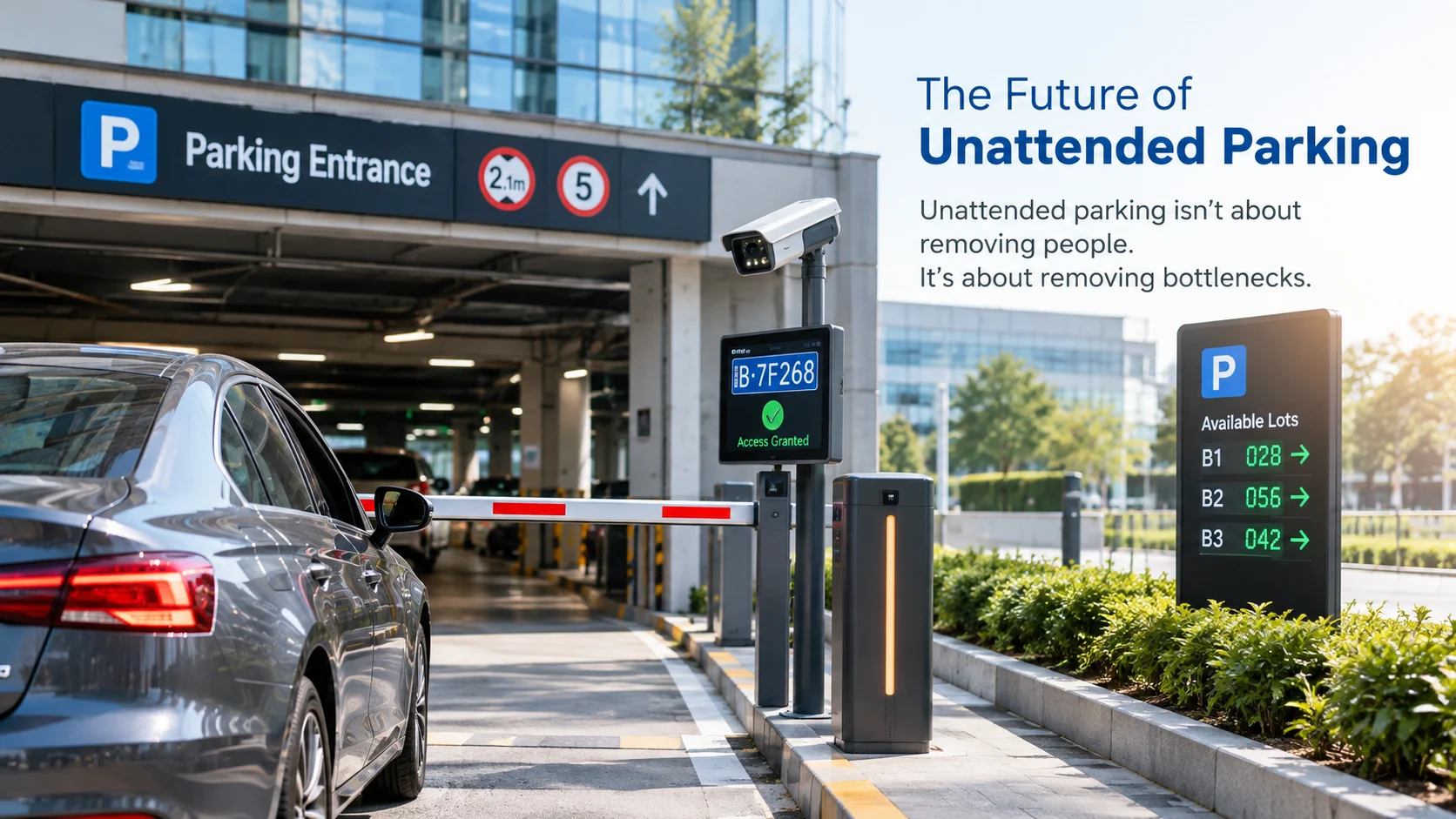
A Parking Management System handles vehicle entry, exit and parking operations in commercial and residential facilities. A typical system includes License Plate Recognition (LPR/ANPR) cameras, vehicle barriers, parking access controllers, payment terminals, parking guidance displays and centralised management software.
When a vehicle approaches an entrance, the LPR camera captures and identifies its plate. The system then processes the access request and controls the barrier according to predefined permissions and operating rules. Depending on configuration, it can also support automatic payment, space monitoring, vehicle guidance and operational reporting.
These systems are common in shopping malls, office buildings, residential communities, airports and industrial parks. As parking facilities become more connected, integration with access control, payment platforms and management software grows more important. Related reading: LPR parking system, vehicle barrier gates, parking guidance, smart parking management and ANPR accuracy in real environments.
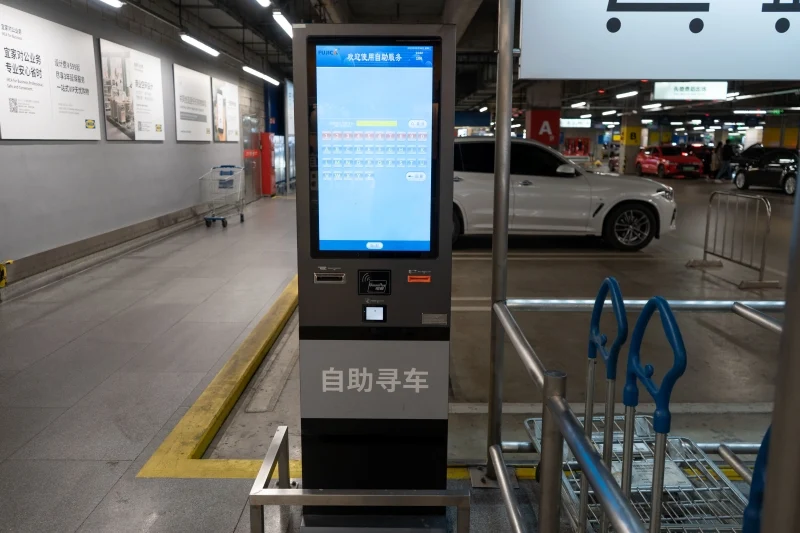
For unattended sites, the choice between full automation and a hybrid model is a separate design decision; we compare the two in unattended parking: full automation vs hybrid operation.
9. Building Automation System (BAS)
A Building Automation System monitors and controls building facilities through centralised management software. Depending on the design, it may connect to HVAC (heating, ventilation and air conditioning), lighting control, energy monitoring, environmental sensors and equipment status monitoring.
By collecting operational data and automating predefined control processes, a BAS helps facility managers see building conditions clearly and run equipment more efficiently. In practice, the BAS is less a single product than a framework that pulls data from several of the other systems on this list.
10. Video Conferencing System
Video conferencing systems enable real-time audio and video communication between people in different locations. Typical equipment includes cameras, microphones, speakers, displays and conferencing platforms, installed in meeting rooms, training centres, conference halls and corporate offices.
With network-based communication now standard, modern systems can connect multiple meeting rooms and remote participants on the same session. Because they run over the LAN, they should be included in the network capacity planning described in section 2 rather than added at the end.
11. Information Display System
Information display systems use digital screens to deliver visual information to a specific audience. Common applications include digital signage in shopping malls, information displays in transport hubs, meeting room scheduling screens, public information boards and advertising displays.
These systems usually consist of display terminals, media players, content management software and network connections, letting operators update and manage content remotely. Like video conferencing, they are practical examples of how a reliable LAN underpins more than just internet access.
12. Electronic Patrol System
An Electronic Patrol System helps security teams manage and record routine patrols. Security personnel follow predefined routes and check designated checkpoints using RFID tags, NFC devices or other identification technologies.
The system records patrol times and checkpoint information, so managers can review completion and spot missed checkpoints. It is commonly used in office buildings, industrial parks, residential communities and large commercial facilities, and works alongside intrusion alarms and CCTV as part of a layered security plan.
13. Fire Alarm and Life Safety System
Fire alarm systems are essential to building safety. They use smoke detectors, heat detectors, manual call points, alarm panels and notification devices to detect a potential fire and alert occupants.
Depending on the building design and applicable regulations, fire alarm systems may also interface with access control, elevators, smoke control and emergency broadcasting. These interfaces must be carefully designed and tested so the correct safety responses are triggered in an emergency. This is the system where professional design and local code compliance matter most — it is not a candidate for a generic off-the-shelf configuration.
How Different ELV Systems Work Together
Although each ELV system has a different purpose, modern buildings rarely run them as isolated islands. Network infrastructure, centralised management platforms and defined integration interfaces let systems exchange information and coordinate operations. Typical examples:
- CCTV + Access Control: video footage can be linked to access events so security teams can investigate incidents quickly.
- Parking Management + Access Control: vehicle and pedestrian access can be managed under coordinated permission rules.
- PA + Fire Alarm: emergency announcements can be triggered through a properly designed fire alarm interface.
- BAS + Environmental Sensors: building conditions can be monitored to support automated equipment control.
System integration is not simply a matter of connecting devices. Compatibility, communication protocols, data exchange and project-specific requirements all need to be considered during design and implementation. A poorly planned integration can create maintenance problems that last far longer than the installation itself — which is why parking management is no longer just about opening a barrier.
For background on structured cabling and low-voltage infrastructure practice, see the Building Industry Consulting Service International (BICSI). This is a general reference, not an endorsement of any product.
Frequently Asked Questions About ELV Systems
What does ELV stand for?
ELV stands for Extra-Low Voltage. It refers to circuits and systems that operate at a much lower voltage than mains power — commonly up to 50 V AC or 120 V DC. In buildings, the term covers security, communication, audio-visual and automation systems that carry signals and control data rather than deliver power to heavy loads.
What are the most common ELV systems in a modern building?
The 13 systems covered in this guide are the ones most often specified: CCTV, LAN, telephone, public address, cable TV distribution, intrusion alarm, access control, parking management, building automation, video conferencing, information display, electronic patrol and fire alarm. Not every project needs all 13; the mix depends on building type, use and local code.
Are ELV systems the same as low-voltage systems?
The terms overlap but are not identical. “Low voltage” is a broad electrical category, while “extra-low voltage” is a narrower band below it. In everyday building practice the two are often used loosely, so always check the voltage and applicable standard in the project specification rather than relying on the label alone.
Which ELV systems are required by law?
Requirements vary by country, city and building type. Fire alarm and emergency voice communication are commonly mandated in occupied buildings, and accessibility or surveillance rules may apply to entrances and parking. Confirm the exact obligations with local authorities and the project’s code consultant — this guide is descriptive, not legal advice.
Can ELV systems be integrated with each other?
Yes. CCTV can be linked to access control events, parking systems can share permissions with pedestrian access control, and fire alarms can trigger emergency broadcasts. Integration depends on compatible protocols, documented interfaces and careful testing. Plan the interfaces during design rather than adding them after commissioning.
What is the difference between ELV systems and a building automation system?
A building automation system (BAS) is itself one type of ELV system. The difference is scope: most ELV systems serve a single function such as video, access or voice, while a BAS coordinates multiple building services — HVAC, lighting, energy and equipment status — through one management platform.
Related Reading
Conclusion
From CCTV surveillance and access control to parking management and building automation, ELV systems are a core part of modern building infrastructure. For engineers and system integrators, understanding what each system does — and how the 13 connect — is a foundation for delivering reliable projects.
As buildings become smarter and more connected, the ability to see both the individual systems and the relationships between them becomes more valuable. Which ELV systems do you work with most often? Are there any others you would add to this list? Share your experience with us.
About FUJICA
FUJICA provides intelligent access system solutions covering vehicle and pedestrian access management, including parking management systems, vehicle barriers, license plate recognition and pedestrian access control. Learn more at https://fujicasystem.com/.

November 20, 2026
November 20, 2026